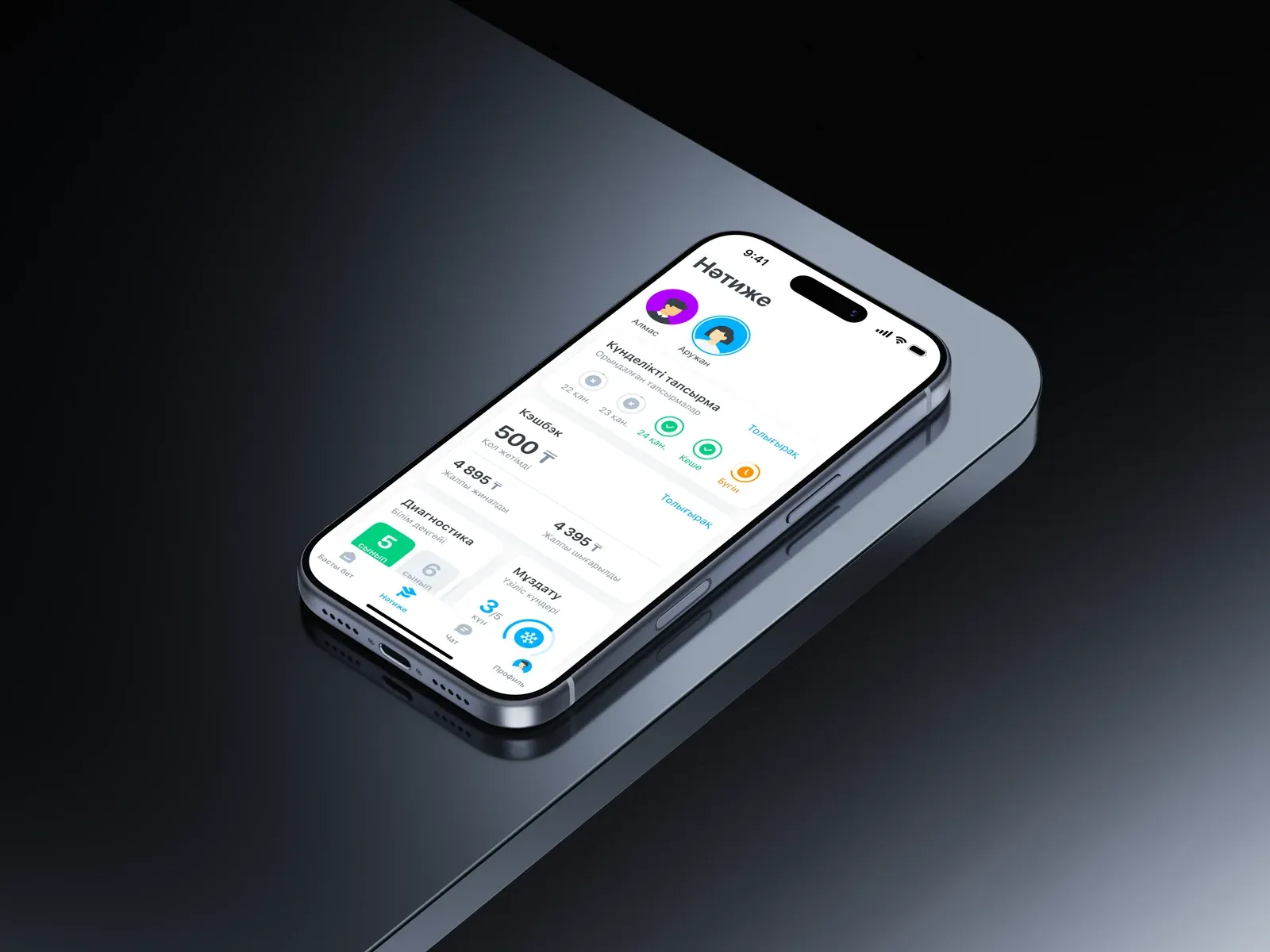
First, we connected the parts of the product.
Home focuses on today, Results brings together a child’s progress, Chat connects people with a mentor, and Profile holds account information and settings. The same system carries through to details, restrictions and feedback.
Home
Today · children · news
Results
Tasks · diagnostics · breaks
Chat
Mentor · messages · reports
Profile
Account · language · help
Language first. Then the role.
Parents and students need different contexts. The role is set before entering a phone number; language is chosen before registration.
How the day went, and what lies behind it.
The overview starts with choosing a child. Tasks, diagnostics, cashback and breaks share one context, with details opened separately. An account with no child has its own state. The overview, history and diagnostics are shown as independent examples: their dates and statuses differ.
Not everything is easy to explain in words.
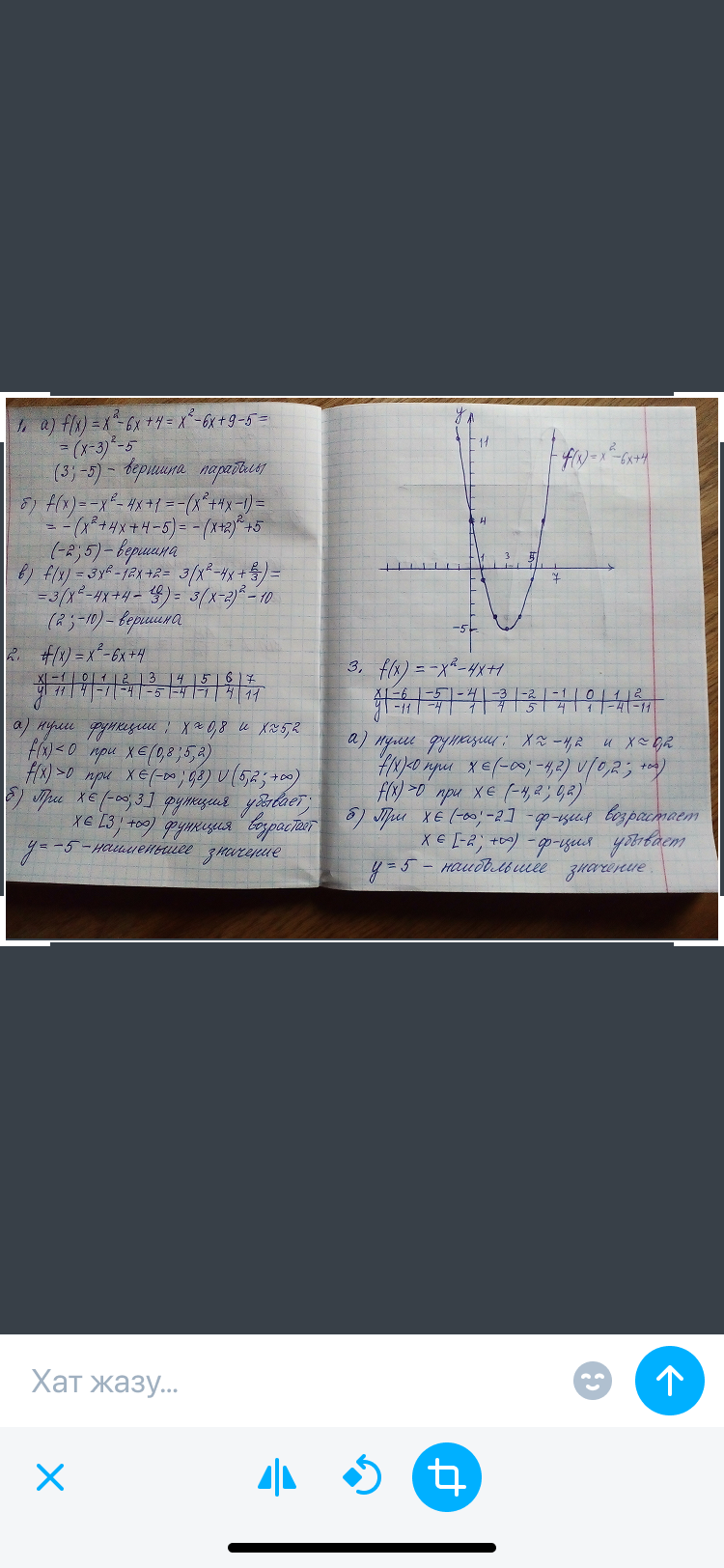
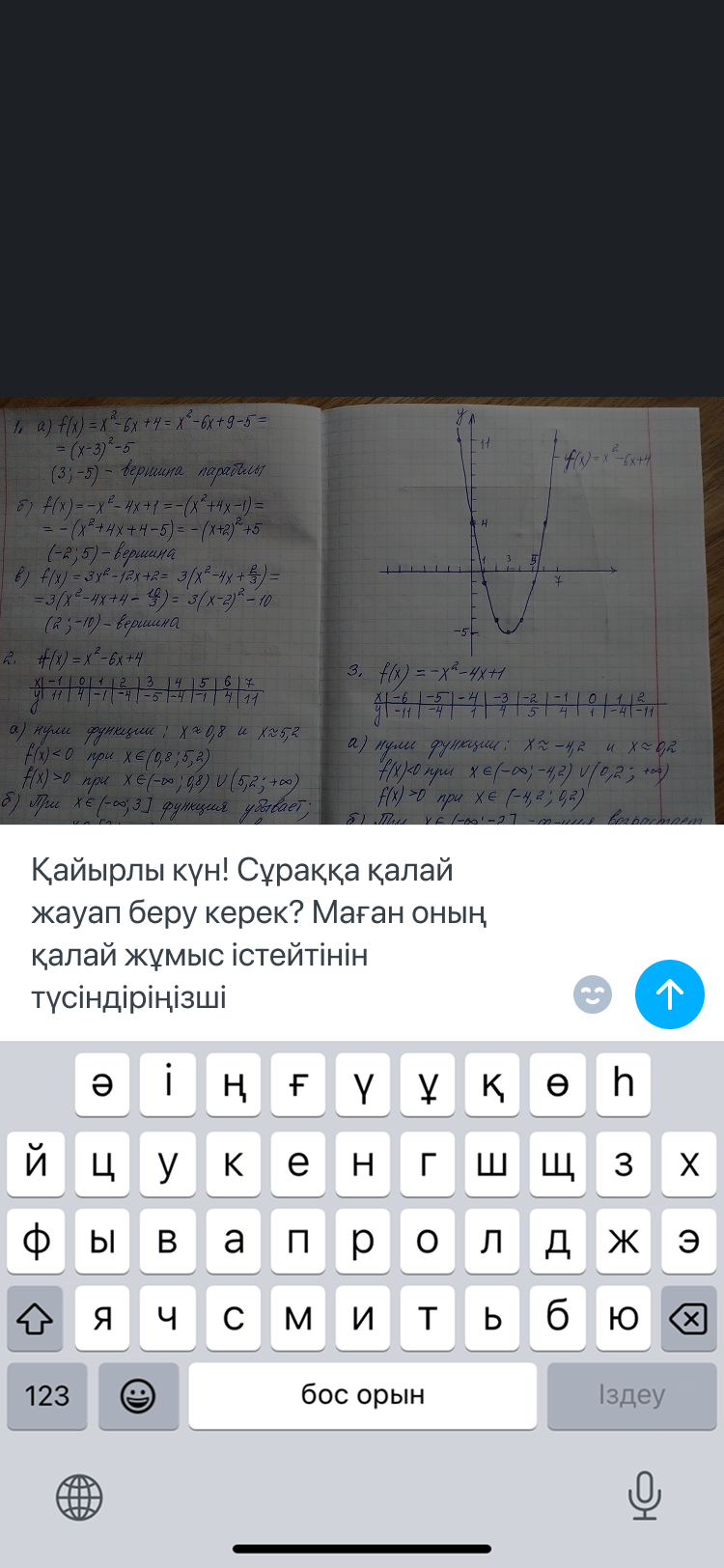
A question can include a photograph of an exercise book. Before sending, it can be cropped and captioned; afterwards, the image and explanation remain one message.
Text, voice or a file.
The message format fits the question. A recording can be cancelled, a voice message can be played, and a file shows transfer progress.
Request a report in the chat.
A report needs a child and a date range. If no child has been added yet, the chat explains which section to use.
An answer may not be enough.
Help offers a way to find a question, expand an answer and explain what was missing. Support contact details stay nearby.
Access is explained before the enquiry.
The restriction leads to an explanation of Premium. For a consultation, people can leave another phone number or use their registration number; a submitted enquiry receives a separate confirmation.
Feedback completes the journey.
After the explanation, people can say whether the answer helped and leave a comment. Survey completion is separate from filling it in.
An architecture that connects the journeys.
We connected entry points to parents’ and students’ tasks and built a new architecture alongside a design system. Colour and navigation decisions became part of a shared structure, connecting a child’s results, conversations with a mentor and report requests.