You need an August completion certificate. You search the company workspace and get a list of files, all called “Completion certificate”. You open one, close another and return to a third because you no longer remember which you checked. Search found something, but left a substantial part of the work to you.
As a designer, it is easy to focus on the search field itself: its width, icon and a polished suggestion dropdown. Let’s put its appearance aside and follow a sample document search to the end. We will see what information is missing before the query, while choosing a result and after “Nothing found”.
Where are we searching?
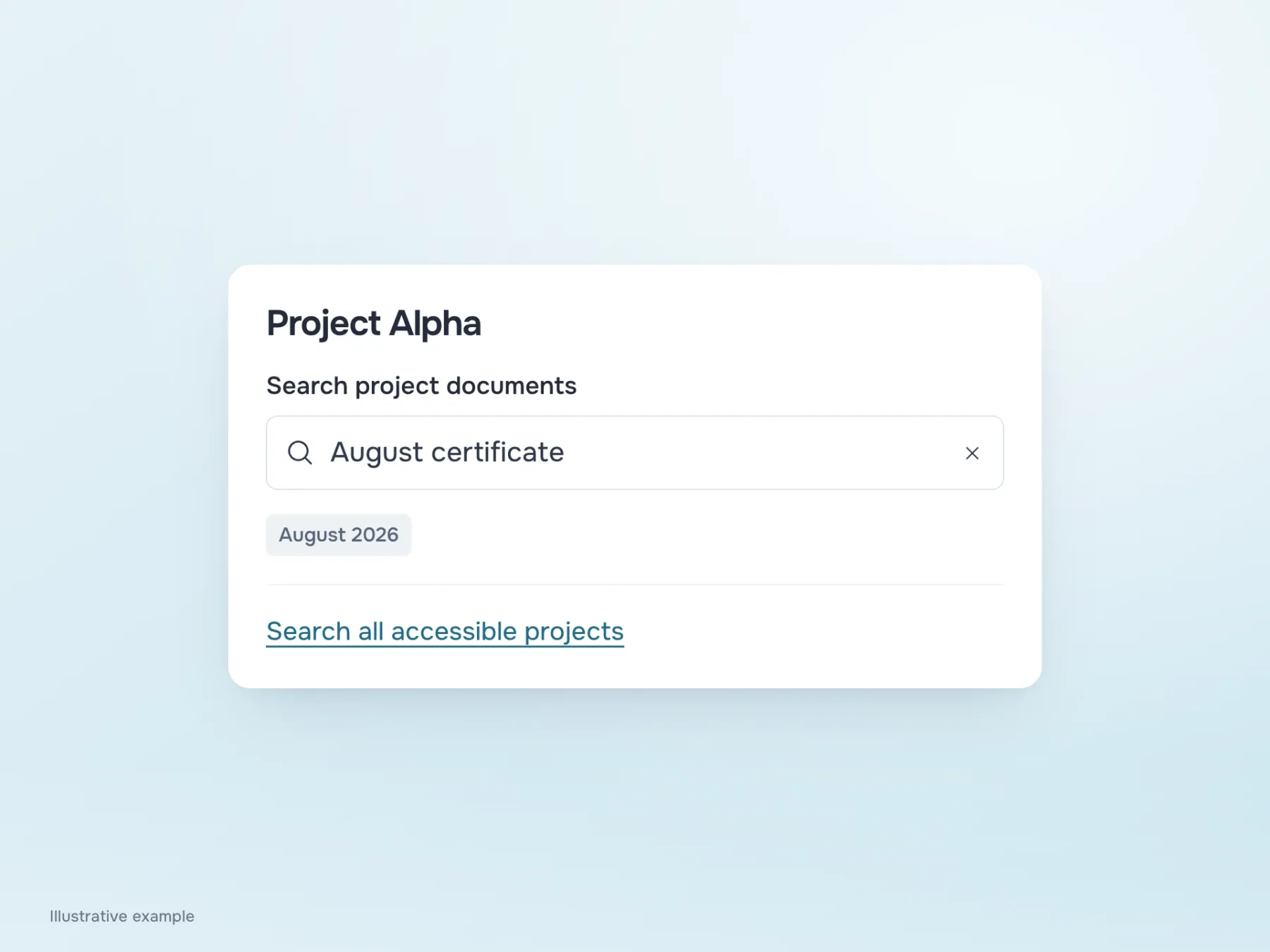
A workspace may contain several projects. If search covers the whole company on one page but only Alpha on another, the same query produces different results. Without making that distinction clear, a missing file can look like a lost file: it was there yesterday, but has vanished today.
“Search project documents” beside Alpha’s name explains the scope. A separate link can offer to search all available projects if the current one has no match. After submission, keep the query on screen with the filters. The person can then see exactly what they searched for and change one word or period without rebuilding the whole query from memory.
What distinguishes one certificate from another?
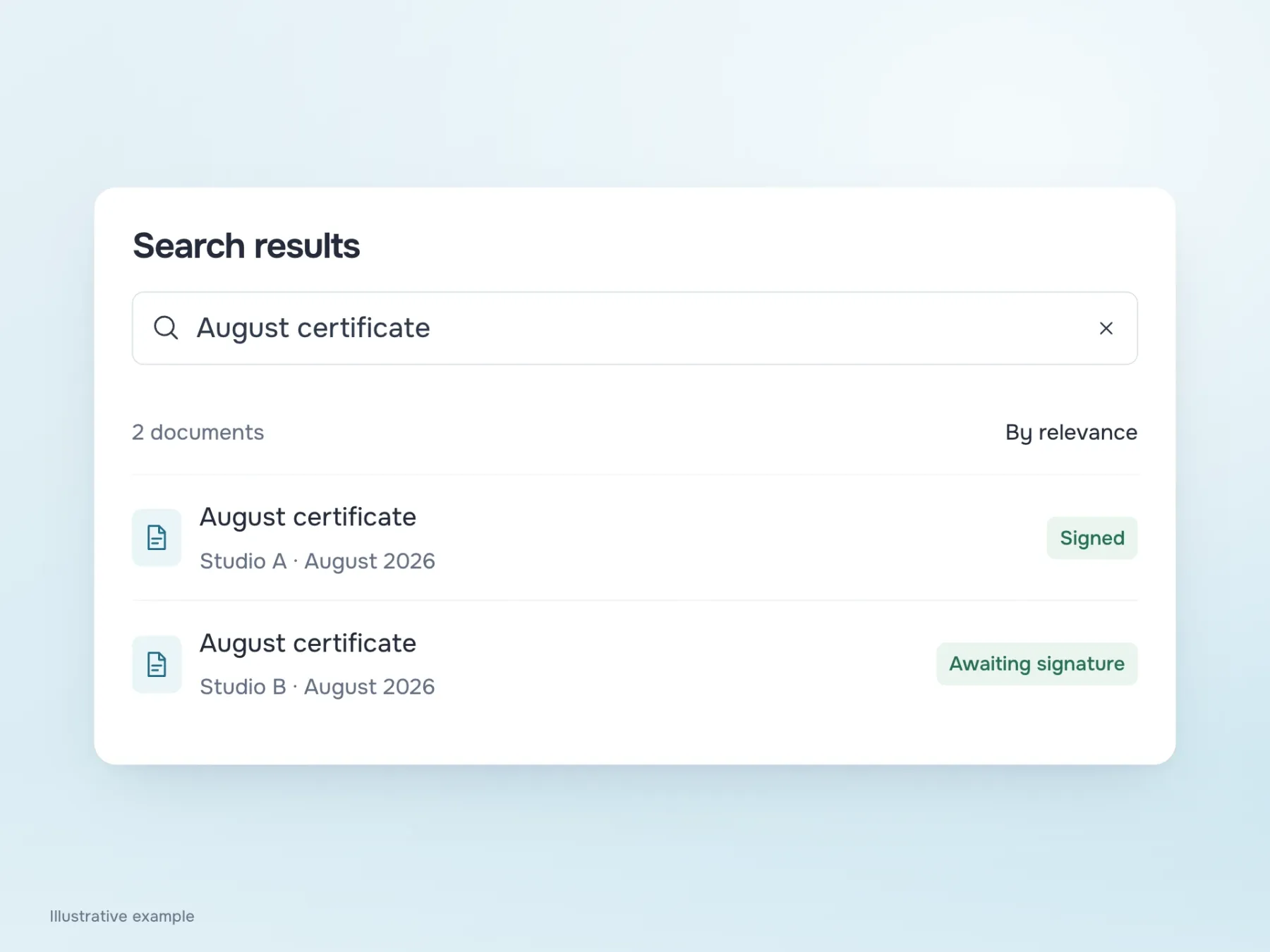
Back to the identical names. For our example, add the organisation, period and signing status. It is now clear that one certificate belongs to Studio A, another to Studio B, and the latter is still unsigned. Some unnecessary openings disappear because the differences are visible in the results.
You need not show every file detail. For someone looking for August, the document’s period is more useful than its exact upload time. If they need a signed certificate, status matters more than size in kilobytes. For the same reason, name the sort order: “Newest first” and “Most relevant” explain different arrangements. When someone returns from a file, preserve the query, filters and list position so checking one result does not reset the whole search.
Why August was not found in September
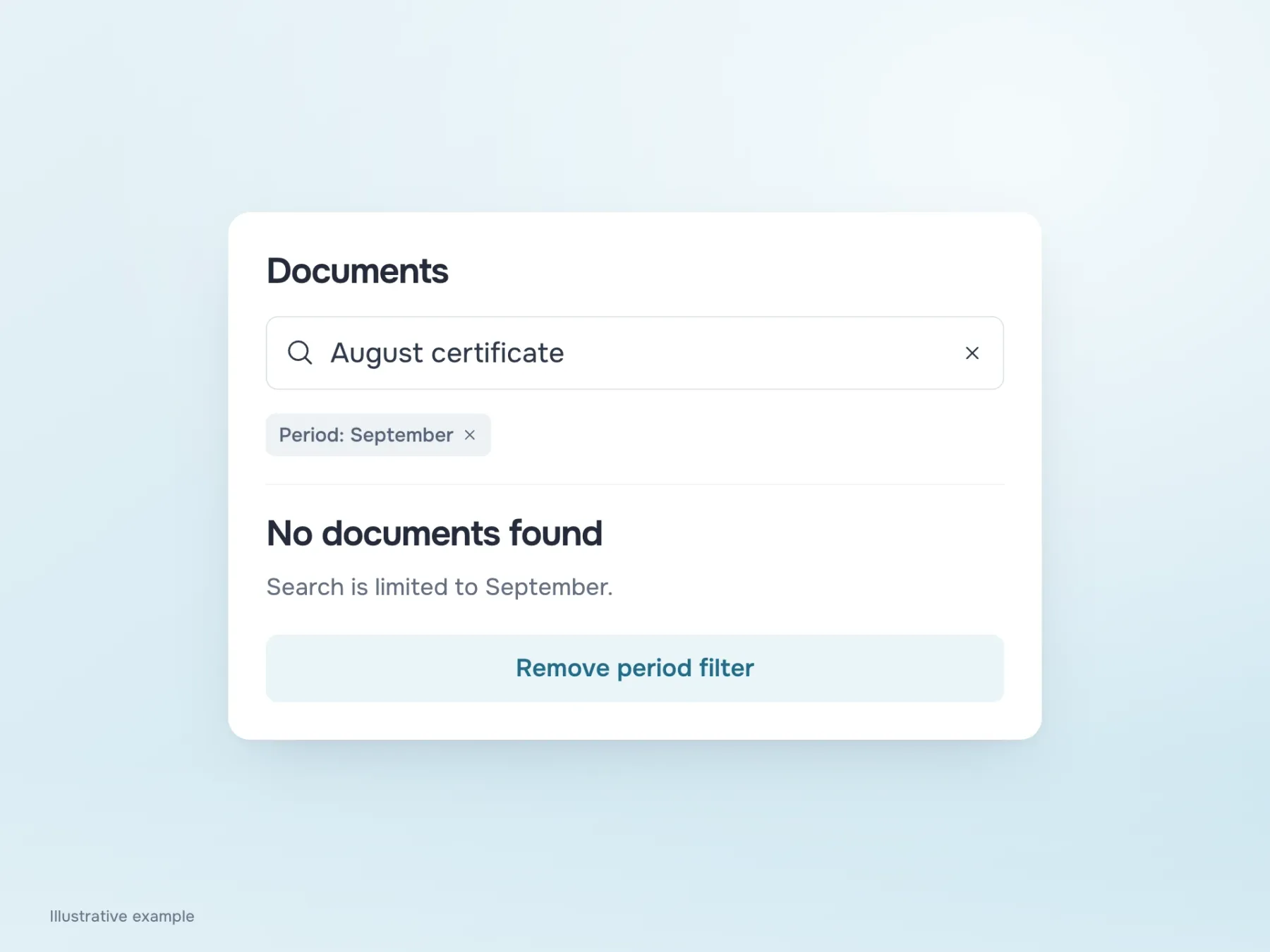
Now imagine the query is correct, but a September filter is still active. “No documents found” alone does not help someone notice it. Showing “August certificate” beside the September restriction gives them a clear clue about what to change.
“Remove period filter” follows through: the person knows which restriction will disappear when the search runs again. Do not confidently report a typo that the system has not detected, or promise the document will definitely appear after removing the filter. A server error also needs a separate state. A failed request says nothing about whether documents exist, so offer a retry while preserving the query.
Does a suggestion continue the search or open a file?
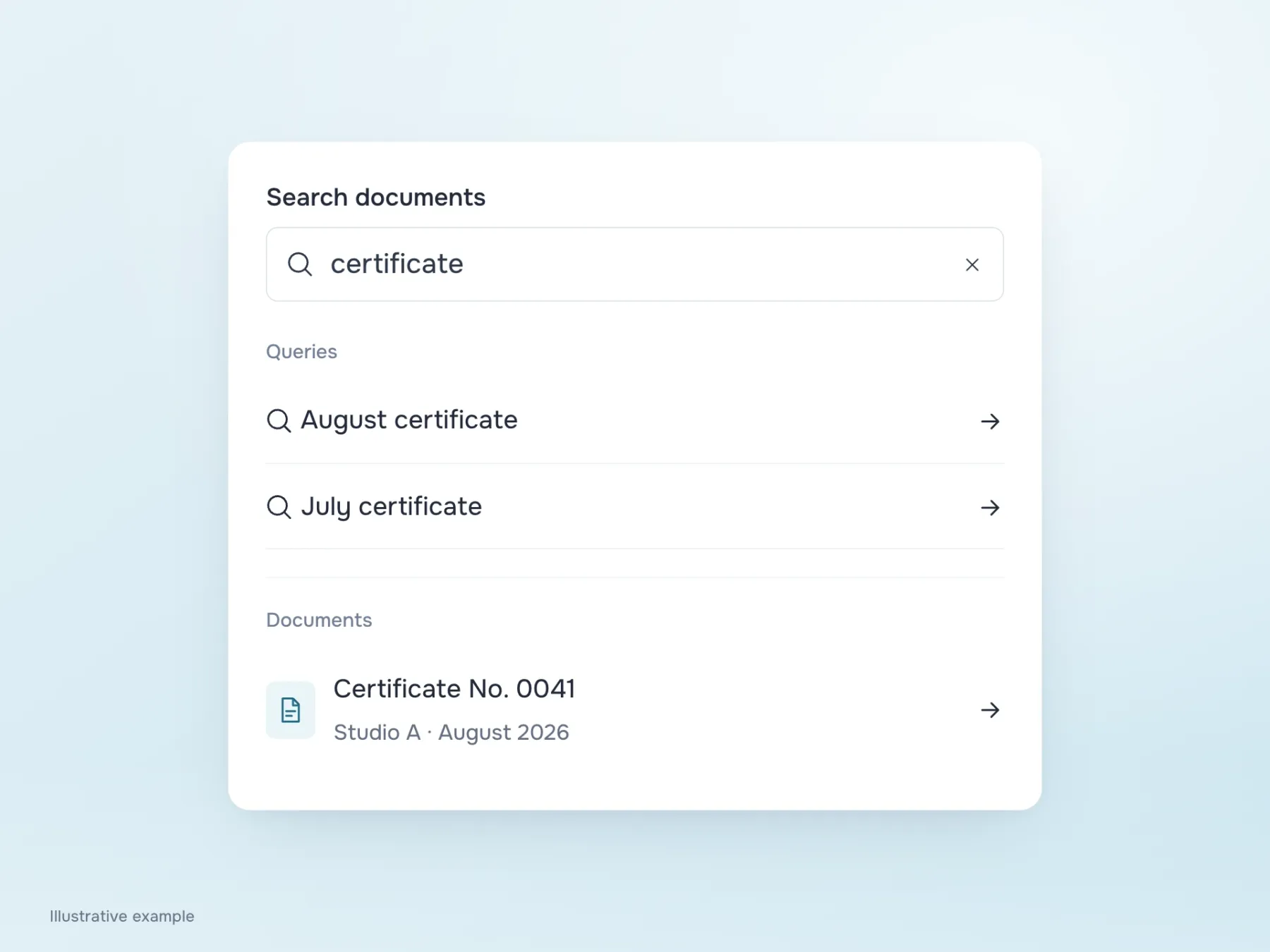
Once the main results are clearer, return to suggestions during typing. For “certificate”, the service may offer the query “August certificate” and a specific document, “Certificate No. 0041”. They look similar but do different things: one refines the search; the other immediately opens a file.
Separating queries from documents helps people predict what selecting one will do. Then move through the list with a keyboard and test it on a phone, where the on-screen keyboard takes up space. If the useful suggestion is hidden beneath it or focus skips the results, the tidy design has not yet helped anyone find the file.
To test the entire journey, return to the original task: get Studio A’s signed August certificate. The person should understand where they are searching, distinguish the results and be able to adjust the query if the right document is missing. The search field then becomes the start of a clear route to the document.